IPTV Box UK: Do You Actually Need One?
Most UK households do not need a dedicated IPTV box. Here is when one genuinely helps, what specifications actually matter, and the box listings worth walking away from.
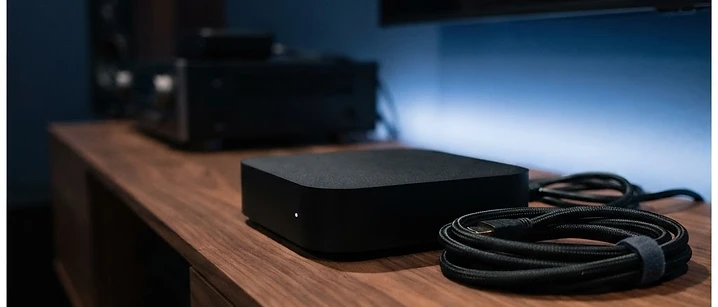
Search for an IPTV box in the UK and you will find hundreds of listings, many of them promising thousands of channels, a lifetime subscription and perfect picture quality in a single purchase. Almost none of that is true.
The short answer: most UK households do not need a dedicated box. A Smart TV app, a Fire TV stick or an Android TV device will do the job. A box earns its place when your television is older, when you want a wired connection, or when you simply want a faster, smoother interface.
What an IPTV box actually is
An IPTV box is a small computer that sits under or beside your television, connects to your broadband, and runs a player app. It does not contain channels. It does not come with content. It is hardware — nothing more — and it is only as good as the app and the service you put on it.
That is the single most useful thing to understand before buying one, because a great deal of the marketing around these devices is designed to blur it.
Box, stick, Smart TV app or phone
There are four realistic ways to watch IPTV at home, and they are not as different as the pricing suggests.
A Smart TV app. If your television was made in roughly the last five years and runs a mainstream platform, it may already support a suitable player. This is the cheapest option by a wide margin — nothing to buy at all. Our Smart TV guide covers what to check.
A streaming stick. Inexpensive, plug-and-play, and portable between televisions. The main limitations are memory and interface speed, which show up as slower menus and occasional stutter on heavy streams.
A dedicated box. More memory, a faster processor, usually an ethernet port and a proper remote. The menus feel quicker and the device copes better with high bitrate streams. It costs more than a stick, though not dramatically more.
A phone or tablet. Useful for bedrooms, travel and commuting rather than as a main screen. Our mobile viewing guide covers that setup.
When a box is genuinely worth it
A box is the right purchase in a handful of specific situations.
Your television is older. A set that predates modern app stores, or whose app store has been abandoned, has no other route to a player.
You want a wired connection. Ethernet is more stable than Wi-Fi, particularly in flats and terraced houses where many networks overlap. Most sticks have no ethernet port; most boxes do.
You want a faster interface. If you find yourself waiting for menus to respond, more memory fixes it.
Several people share the device. A proper remote and a snappier interface matter more when a household is passing one remote around.
You want a single-purpose device. A box dedicated to television keeps your television's own software out of the way.
If none of those applies, save the money and put it towards the subscription instead.
What actually matters in the specifications
Marketing pages list a lot of numbers. Four of them matter.
Memory. This is what makes menus feel fast or sluggish. More memory is the difference between a device that responds instantly and one that pauses every time you press a button.
Storage. Only relevant if you plan to install several apps or record. For streaming one player, it barely matters.
Ethernet port. Worth having if your router is anywhere near the television. Wired beats wireless for stability, every time.
Software support. The device is only useful while it receives updates. A box running an abandoned version of its operating system will eventually stop running new apps.
Picture quality claims deserve scepticism. A device cannot invent resolution that the stream does not contain, and it cannot overcome a weak broadband line.
What to avoid
Boxes sold with channels included. A box advertised with thousands of channels and a lifetime subscription is bundling unlicensed content with hardware. It offers no support, no refund position and no way to complain when it stops working. Our article on whether IPTV is legal in the UK explains the distinction between the technology and the licensing.
Lifetime guarantees. No hardware vendor can promise a lifetime of anything, least of all content.
Modified or jailbroken devices. Pre-modified boxes are a common route for unwanted software, and they are difficult to secure once compromised.
No-name brands with no support. If there is no manufacturer to contact, there is nobody to help when the device misbehaves.
Specifications that do not add up. A very low price with very high claimed specifications usually means one of the two is inaccurate.
Cost expectations
A capable Android TV device costs roughly what a mid-range streaming stick costs — a modest one-off purchase, not a significant investment. Compare that with the subscription itself: our packages start at €25 for a month.
The sensible order of spending is subscription first, hardware second. Buy the service, test it on the device you already own, and only buy a box if you find the experience lacking.
Setting it up
Whichever device you choose, the process is broadly the same, and our full setup guide walks through it step by step. In outline:
- Connect the device to your broadband — wired if you can.
- Install the player app your provider recommends.
- Enter the details your provider supplied.
- Allow the channel list and programme guide to load fully.
- Test during peak evening hours, not at midday.
Frequently asked questions
Do I need a special box for IPTV? Usually not. A modern Smart TV, a Fire TV stick or an Android TV device will run a suitable player app. A dedicated box helps mainly on older televisions, or where you want a wired connection and a faster interface.
Is a Fire TV stick as good as an IPTV box? For most households it is close enough. A stick is cheaper and simpler. A box generally offers more memory, smoother menus and an ethernet port, which can matter on a busy home network.
Should I buy a box that comes with IPTV pre-installed? Be cautious. Boxes advertised with thousands of channels and a lifetime subscription usually rely on unlicensed content, offer no support and carry security risks. Buy the hardware and the subscription separately.
Does the box affect picture quality? Partly. A better device handles high bitrate streams more smoothly and stutters less. But if your broadband or Wi-Fi is the bottleneck, no box will fix that.
How much should an IPTV box cost? A capable Android TV device sits in the same range as a mid-range streaming stick. Anything unusually cheap usually shows in the memory, the remote or the software support.
Where to go next
If you are still deciding which device suits your television, our IPTV apps guide covers player options, and the setup guide takes you from unboxing to a working channel list. When you are ready, the current packages are listed in full.
Frequently asked questions
Related guides

 Devices
IPTV on Smart TV UK: Samsung, LG and Android TV Guide
A practical guide to running IPTV on a UK Smart TV — which platforms support it, how setup works, and what to do when an app is not available.

 Devices
Watching IPTV on Your Phone or Tablet in the UK
Your phone is the most flexible screen you own. Here is what to know before you use it for IPTV — data use, battery, casting and how connections work.

 Devices
IPTV on Apple TV and Roku: What Works in the UK
Apple TV and Roku are excellent streaming devices, but neither is designed with IPTV in mind. Here is what works on each, and what to do when an app is not in the store.


Ready when you are.
Pick a package, tell us your device, and we'll help you get set up for the evening.