Watching IPTV on Your Phone or Tablet in the UK
Your phone is the most flexible screen you own. Here is what to know before you use it for IPTV — data use, battery, casting and how connections work.
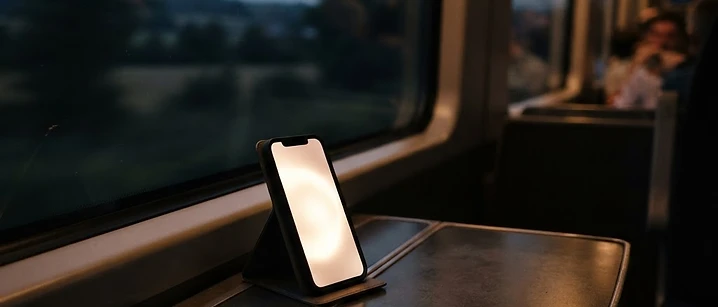
Television is no longer something that happens in one room. A phone or tablet is often the second or third screen in a UK household, and for commuters, shift workers and anyone with a bedroom television that predates the app era, it is the most useful screen of all.
The short answer: your phone or tablet is an excellent IPTV device, and most services support it. Two things to plan for: mobile data, since HD streaming consumes a significant amount of it, and connections, because a phone streaming alongside a television counts as two streams, not one.
Why mobile viewing earns its place
It is easy to dismiss phone viewing as a compromise. In practice it solves problems a television cannot.
Commuting and travel. A train journey, a long wait, a flight with Wi-Fi — the phone is the only screen available.
Shift patterns. If you work evenings, watching on a phone in the early hours without disturbing the rest of the house is genuinely valuable.
Bedrooms and kitchens. A tablet on a stand is often the simplest way to add a second viewing point without buying another television.
Testing before committing. Before you buy hardware, running the service on a device you already own is the cheapest possible test.
The data question, honestly
This is where most people get caught out, so it is worth being specific rather than vague.
Streaming video over mobile data uses a meaningful amount of bandwidth. Standard definition uses far less than high definition, and high definition uses less than 4K. As a broad guide, HD streaming commonly falls somewhere in the region of one to three gigabytes per hour, depending on the service and the quality of the stream.
That means two hours of evening viewing can consume several gigabytes. Unless your mobile plan includes a generous or unlimited data allowance, Wi-Fi is the sensible default.
A practical approach for UK viewers:
- At home, always use Wi-Fi. It costs nothing extra and it is faster.
- Download or watch on demand where the app supports it, if you are travelling.
- Set a data warning on your phone so a long match does not surprise you.
- Drop the quality if the app allows it — a smaller picture on a small screen is a reasonable trade.
If you are travelling abroad, remember that roaming terms vary and that the availability of any given service depends on the provider. Check before you rely on it.
Battery and heat
Continuous video decoding is hard work for a phone. Two things follow.
Battery drains quickly. A long match can flatten a phone that would otherwise last a full day. A power bank or a charger nearby solves it.
Devices warm up. This is normal, but it is worth managing: lower the screen brightness, take the case off if it is a thick one, and avoid charging and streaming at the same time where you can. Heat is also what causes a phone to throttle performance, which shows up as stuttering playback.
Casting to the television
Casting is one of the most useful tricks for IPTV, and it solves a problem Apple TV and Roku owners run into regularly. If your television or its streaming device lacks a suitable player app, you can run the app on your phone and send the picture to the big screen.
- Apple devices use AirPlay, which works with Apple TV and with many modern televisions directly.
- Android devices use casting, which works with Chromecast and Android TV devices.
The trade-off is that your phone is tied up while you watch, and the battery cost is higher. For occasional use, though, it is an excellent fallback. Our Apple TV and Roku guide covers that situation in more detail.
Player apps
Most services provide a mobile player for both iOS and Android. What varies is quality: some are polished with a proper programme guide, others are little more than a video window.
Our IPTV apps guide covers what to look for. Two points matter particularly on a phone: whether the app remembers where you were in a programme, and whether it supports casting. Both make an enormous difference to daily use.
Be cautious with unofficial players from outside the official stores. Modified apps are a common route for unwanted software, and a phone holds far more personal data than a television ever will.
Connections: the detail people miss
A connection is a simultaneous stream. It is not a device, and it is not a person.
That means a phone in the kitchen and a television in the living room, both playing at once, use two connections. If your package includes one, the second stream will not work. Our multi-room guide explains how to work out what your household actually needs.
Practical tips
- Use Wi-Fi at home, always.
- Charge while you watch if you are settling in for a long session, but avoid doing so in a hot room.
- Lower the brightness to reduce heat and battery drain.
- Use a stand or a case with a kickstand for tablets, so you are not holding the device for two hours.
- Test on the move before you rely on it — a service that works perfectly at home may behave differently on a busy mobile network.
- Keep the app updated, and only from the official store.
Frequently asked questions
Can I watch IPTV on my phone? Yes. Most services provide a player that runs on iOS and Android, and the same subscription can be used on a phone or tablet subject to your connection allowance.
How much mobile data does IPTV use? It depends on picture quality. Standard definition uses considerably less than high definition, which in turn uses less than 4K. As a rough guide, HD streaming commonly sits in the region of one to three gigabytes per hour, so unlimited data or Wi-Fi is the sensible choice.
Does watching on my phone use up a connection? Yes. A connection is a simultaneous stream. If someone is watching on the television at the same time, that is two connections, not one.
Why does my phone get hot while streaming? Decoding video continuously is demanding work, particularly at high resolution with a bright screen. Lowering brightness, using Wi-Fi rather than mobile data, and removing a thick case all help.
Can I cast IPTV from my phone to the television? Yes. AirPlay works from Apple devices to an Apple TV, and casting works from Android to Chromecast and Android TV devices. It is a practical solution when a television lacks a suitable app.
Where to go next
If you are setting the service up for the first time, our setup guide walks through the steps. If you are deciding how many devices your household needs, start with the multi-room guide. And the current packages are listed with what each includes.
Frequently asked questions
Related guides

 Devices
IPTV on Smart TV UK: Samsung, LG and Android TV Guide
A practical guide to running IPTV on a UK Smart TV — which platforms support it, how setup works, and what to do when an app is not available.

 Devices
IPTV on Apple TV and Roku: What Works in the UK
Apple TV and Roku are excellent streaming devices, but neither is designed with IPTV in mind. Here is what works on each, and what to do when an app is not in the store.

 Devices
IPTV Box UK: Do You Actually Need One?
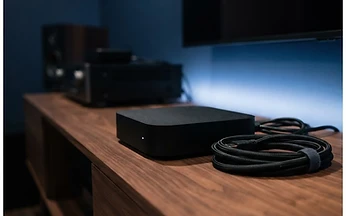
Most UK households do not need a dedicated IPTV box. Here is when one genuinely helps, what specifications actually matter, and the box listings worth walking away from.


Ready when you are.
Pick a package, tell us your device, and we'll help you get set up for the evening.