Best IPTV Apps for Smart TV in the UK
The player app decides how good IPTV feels day to day. Here is what to look for, and how to compare apps on your own device.

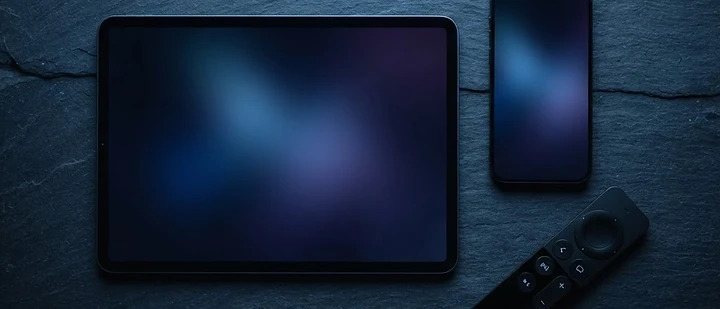
The player app is the part of IPTV you actually touch. The service supplies the streams, but the app decides how easy they are to find, how the guide looks and how quickly channels change. Choosing well here matters more than most buyers expect.
Quick answer: An IPTV player app is the software on your device that displays the streams from your subscription. Look for an accurate EPG, fast channel switching, playlist support, a clean interface and a good remote-control experience. Availability differs by platform, so confirm the app exists for your television before subscribing.
What is an IPTV app?
An IPTV app — also called a player — connects to your subscription and presents the channels, guide and on-demand content on screen. It is not the service itself. If the app is slow but the streams are fine, you have a software problem rather than a service problem.
What to look for in a player app
- EPG quality. Programme titles, times and artwork should all be correct.
- Channel switching speed. Slow zapping makes browsing painful.
- Playlist support. The app must accept the format your provider supplies.
- Remote-control design. Menus should work with a standard TV remote, not just a mouse or touchscreen.
- Favourites and groups. Being able to hide channels you never watch matters more than total channel count.
- Search. A working search turns a huge list into something usable.
- Stability. The app should not crash when you leave it running.
How playlists and login details work
Providers usually supply one of two things:
- A username and password, entered into the app's login screen.
- A playlist URL, often called an M3U link, pasted into the app's settings.
Some apps support both. Confirm which your provider issues, and check the app accepts that method before committing.
Smart TV compatibility
The platform matters more than the app's reputation. A player praised on Android may not exist for Samsung Tizen or LG webOS at all.
- Android TV and Google TV — the widest choice of players.
- Samsung (Tizen) — a smaller catalogue, found in Samsung's own store.
- LG (webOS) — likewise limited to LG's store.
- Fire TV — its own app store, with many Android players available.
Common players such as TiviMate and IPTV Smarters are widely discussed, but availability varies by platform and changes over time. Always check your device's own app store rather than relying on a list.
How to compare apps fairly
- Install the app on the device you will actually use.
- Load your subscription and check the guide.
- Switch between ten channels and time how responsive it feels.
- Test search and favourites.
- Leave it running for an hour and check for crashes.
- Only then decide.
Do you need a paid app?
Some players are free, others charge a one-off or annual fee. Paid apps often offer better guide handling and a more polished interface, but the only way to know whether the difference matters to you is to compare on your own television. There is no universally best app, because the best app is the one that works well on your hardware.
Common app problems
- Guide blank or wrong. Refresh the guide data, then restart the app.
- Login fails. Re-enter details carefully; check for stray spaces.
- Playback stutters in the app only. Try a different player to isolate whether the app or the network is at fault.
- App removed from the store. Common on older Smart TVs. A streaming stick restores access.
If problems persist across apps, the cause is usually the network — see our buffering guide.
Frequently asked questions
What is an IPTV app?
It is the player software installed on your device that connects to your IPTV subscription and displays channels, guide data and on-demand content.
Which IPTV app is best for a Smart TV?
There is no single best app. The right one depends on your television's platform, how you use the guide and how you prefer to browse. Test candidates on your own device.
Do IPTV apps cost money?
Some are free and some are paid. Paid apps often provide a more polished interface and better guide handling, but compare them on your own television before deciding.
Can I use the same app on more than one device?
Usually yes, but the number of streams at the same time is limited by your subscription's connections, not by the app.
Why is my IPTV app slow?
Often the device itself — older Smart TVs have limited processing power. A streaming stick or box generally feels faster for the same subscription.
The bottom line
Choose a player that fits your television, handles the guide well and responds quickly to the remote. Everything else follows from that.
See compatible devices, view our packages or contact the team for advice.
Related guides

 Technology
IPTV Picture Quality UK: Why It Looks Different on Every Device
Resolution is only one number, and often the least important one. Here is how picture quality actually works in IPTV, and what you can do about it.

 UK Guides
Best IPTV Provider UK: What Should You Check Before Subscribing?
A practical checklist of what to verify before you choose an IPTV provider in the UK — and the warning signs that suggest you should walk away.

 UK Guides
IPTV Providers UK: How to Compare IPTV Providers in 2026
What separates one IPTV provider from another in the UK, and how to compare them fairly without relying on marketing claims.


Ready when you are.
Pick a package, tell us your device, and we'll help you get set up for the evening.