IPTV Picture Quality UK: Why It Looks Different on Every Device
Resolution is only one number, and often the least important one. Here is how picture quality actually works in IPTV, and what you can do about it.
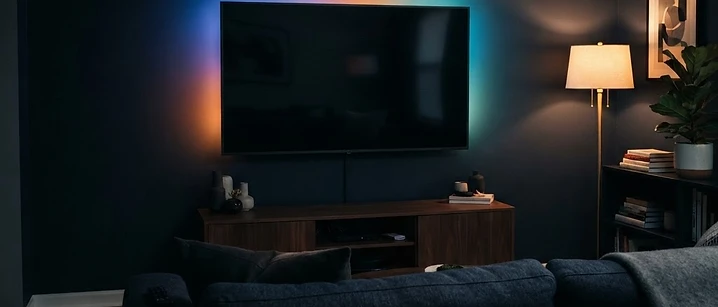
Picture quality is the subject people judge an IPTV service on, and the one they understand least. Two households on the same service, watching the same channel, can have completely different experiences — and neither of them is imagining it.
The short answer: picture quality is the result of a chain, and the weakest link decides the outcome. Resolution is only one part of it, and often not the most important. Bitrate, motion handling and your device's upscaling all matter at least as much.
The chain that produces your picture
Four stages, in order.
1. The source. What the provider receives and re-encodes. A stream can never be better than its source.
2. The delivery. How much data is sent per second — the bitrate — and how efficiently it is compressed. This is where most of the difference between services lives.
3. Your connection. Whether the stream arrives complete and on time. Insufficient bandwidth shows up as artefacts or buffering rather than a lower resolution.
4. Your device and screen. How the stream is decoded, upscaled and displayed.
A weakness anywhere in that chain caps the result. This is why buying a better television rarely fixes a poor stream, and why a good stream on a modest television can look excellent.
Resolution, bitrate and compression
These three are constantly confused, so they are worth separating.
Resolution is the number of pixels — 1080p, 4K and so on. It is the easiest number to market and the least useful on its own.
Bitrate is how much data is used per second. This is what actually determines how much detail and how few artefacts you see. A well-encoded 1080p stream at a high bitrate can look better than a poorly encoded 4K one at a low bitrate.
Compression is how cleverly that data is used. Modern codecs squeeze more quality into less bandwidth, but they also introduce artefacts when pushed hard — particularly in fast-moving scenes.
When people say a stream looks soft, blocky or smeared, they are almost always describing a bitrate or compression issue rather than a resolution one.
Why 4K claims deserve scrutiny
Channel lists frequently advertise 4K. Sometimes that is accurate. Often it means one or two channels, or it refers to an upscaled picture rather than a genuine 4K source.
Before paying extra for 4K, check three things:
- Does the specific channel or event you want actually broadcast in 4K?
- Can your device output it? Some older devices cap at 1080p regardless of the stream.
- Can your connection sustain it? 4K uses substantially more bandwidth than high definition.
If any of those three is missing, the 4K premium buys you nothing.
Why sport is the hardest test
Live sport is the most demanding content there is.
Camera pans across a crowd, fast movement, fine detail in grass and kit — all of it gives the encoder very little repeated information to work with, so more of the picture has to be transmitted and artefacts become visible. Films, by contrast, are often slower and more static, and they are mastered with more care.
That is why a service can look superb on a drama channel and distinctly average during a match. It is also why any serious test of a service should include live sport, ideally during a busy evening. Our sports streaming guide covers what to look at.
What your device contributes
Your television and streaming device do more than display the picture.
Upscaling. A 1080p stream on a 4K television is scaled up by the television or the device. Some do this well, some poorly, and the difference is visible on fine detail.
Output settings. Many devices default to a lower output resolution than the television can accept. Checking this setting is one of the most common and easiest fixes.
Picture processing. Television manufacturers ship picture modes designed to look impressive in a shop. Many of them — motion smoothing especially — actively harm a film or a match. Turning them off is usually an improvement.
Device capability. An underpowered device may struggle to decode a high bitrate stream smoothly, producing stutter that looks like a service problem but is not.
What you control, and what you do not
You control: your Wi-Fi or wired connection, your device and its settings, your television's picture mode, and which service you pay for.
Your provider controls: the source it uses, the bitrate it sends, and how well it manages capacity at peak times.
Neither controls: the quality of the original broadcast, which sets the ceiling for everything downstream.
That division is useful when something looks wrong. If the problem affects every channel equally and follows you between devices, it is likely your connection. If it affects specific channels only, it is on the provider's side. If it looks different on two devices in the same house, it is the device.
Practical steps to improve what you see
- Use a wired connection where you can. It removes an entire category of problem.
- Check the device's output resolution and set it to match your television.
- Turn off motion smoothing and other aggressive picture processing.
- Update the player app — encoding and decoding improvements arrive with updates.
- Test with live sport at peak time, which is the honest measure of any service.
- Compare the same channel on two devices to isolate whether the issue is the stream or the hardware.
Frequently asked questions
Why does IPTV look worse than my streaming apps? Streaming apps often deliver higher bitrates and more consistent encoding for their own content. Live television is compressed more aggressively to travel efficiently. The difference is usually bitrate rather than resolution.
Is 4K IPTV worth paying extra for? Only if your television, your device and your connection can all handle it, and only if the specific channel you want is genuinely delivered in 4K. Treat 4K claims on channel lists with caution and verify before paying.
Why does sport look worse than films? Fast motion is harder to compress. Camera pans, crowds and quick movement give the encoder less to work with, so artefacts are more visible. Sport is the most demanding test of any stream.
Does a better television improve IPTV picture quality? It improves how the stream is displayed and upscaled, but it cannot add detail the stream does not contain. A good television makes a good stream look excellent and a poor stream look obvious.
What can I change to improve picture quality? Use a wired connection, check the device's output resolution settings, turn off unnecessary picture processing on the television, and make sure your player app is updated.
Where to go next
If your picture is breaking up rather than looking soft, the buffering guide is the right starting point. If you are still choosing a service, our channel list guide explains what to check before you pay. And the current packages are listed in full.
Frequently asked questions
Related guides

 Technology
Do You Need a VPN for IPTV in the UK?
A VPN is optional for most UK IPTV viewers. Here is what it actually does, the situations where it helps, and the ones where it will not fix your problem.

 Technology
What Broadband Speed Do You Need for IPTV in the UK?
Most UK households do not have a speed problem — they have a coverage problem. Here is what IPTV actually needs from your connection, and how to test it.

 Technology
IPTV EPG Explained: What Is an Electronic Programme Guide?
The EPG is the on-screen TV guide in your player app. Here is how it works and how to fix it when listings do not appear.


Ready when you are.
Pick a package, tell us your device, and we'll help you get set up for the evening.