IPTV Buffering: Common Causes and Solutions
That spinning wheel usually has a simple cause. Work through these checks to find out what is slowing your stream down.
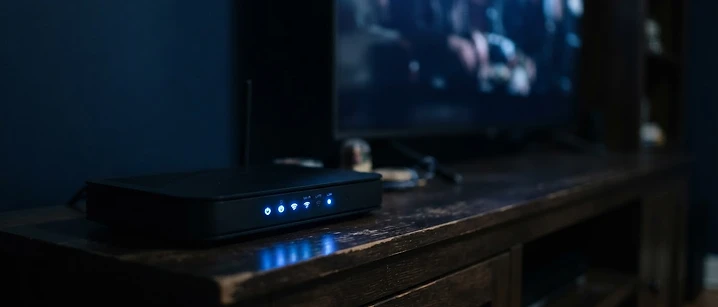
Buffering happens when your device cannot receive video data as quickly as it needs to play it. The player pauses to catch up — and you see the spinning wheel. The good news is that most causes sit inside your own home and can be fixed.
Start with a speed test
Run a speed test on the device you watch on, not your phone in another room. As a rough guide:
- HD: at least 10 Mbps, consistently
- 4K (where supported): 25 Mbps or more
More important than the headline number is consistency. A connection that swings between 50 Mbps and 3 Mbps will buffer more than a steady 15 Mbps. Read more in how internet speed affects streaming quality.
The most common causes
Weak Wi-Fi
Walls, floors and even fish tanks weaken wireless signals. If the TV is two rooms away from the router, that alone can cause problems.
Fix: use an Ethernet cable where possible. If not, try a powerline adapter or a mesh Wi-Fi system.
A busy household network
Someone gaming, a laptop uploading photos to the cloud and two phones on video calls all compete for the same bandwidth.
Fix: pause large downloads during viewing, or enable Quality of Service (QoS) on your router if it supports it.
An underpowered device
Older streaming sticks and budget Smart TVs have limited memory. Over time, apps slow down.
Fix: restart the device, clear the player app's cache and close apps running in the background. If problems persist, a newer device can make a real difference — see our Fire TV guide.
Peak-time congestion
Broadband networks are busiest in the evening, particularly during major live events.
Fix: a wired connection gives you the best chance of holding steady when the network is under pressure.
Player app settings
Some players let you change the buffer size or the video decoder.
Fix: try switching between hardware and software decoding, or increasing the buffer slightly.
A quick checklist
- Restart your router and device
- Test your speed on the viewing device
- Move to a wired connection if you can
- Clear the app cache
- Check for app and device updates
- Try a different channel to see whether the issue is widespread
Still stuck?
Note down when the buffering happens, which device you use and your speed test results, then contact our support team. Those details help us find the cause much faster.
Frequently asked questions
Related guides

 Technology
IPTV Picture Quality UK: Why It Looks Different on Every Device
Resolution is only one number, and often the least important one. Here is how picture quality actually works in IPTV, and what you can do about it.

 UK Guides
Best IPTV Provider UK: What Should You Check Before Subscribing?
A practical checklist of what to verify before you choose an IPTV provider in the UK — and the warning signs that suggest you should walk away.

 UK Guides
IPTV Providers UK: How to Compare IPTV Providers in 2026
What separates one IPTV provider from another in the UK, and how to compare them fairly without relying on marketing claims.


Ready when you are.
Pick a package, tell us your device, and we'll help you get set up for the evening.