IPTV on Apple TV and Roku: What Works in the UK
Apple TV and Roku are excellent streaming devices, but neither is designed with IPTV in mind. Here is what works on each, and what to do when an app is not in the store.
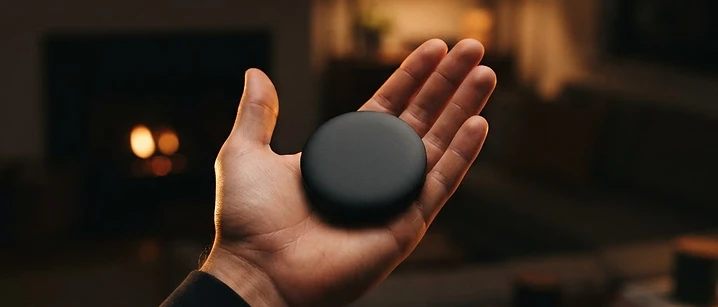
Apple TV and Roku are two of the best-loved streaming devices in the UK. Both are fast, well built and pleasant to use. Neither, however, was designed with IPTV in mind, and that shows.
The short answer: Apple TV works, but through a closed app store that limits which players are available, with AirPlay as a dependable fallback. Roku is the most restrictive of the major platforms and the weakest choice for IPTV specifically. If IPTV is a priority, an Android TV or Fire TV device will cause you far less friction.
Why the platform matters more than the hardware
All three of the major platforms — tvOS on Apple TV, Roku OS, and Android TV — are perfectly capable of playing a video stream. The difference is not power. It is what the manufacturer allows you to install.
Apple and Roku both run curated app stores. That is good for security and consistency, and it means anything you install has been reviewed. It also means that a player app which does not meet the store's rules simply will not be there, and you cannot work around it the way you can on Android.
Android TV and Fire TV, by contrast, allow installation from outside the store. That flexibility is the main reason they dominate the IPTV conversation.
Apple TV: what works
Apple TV is a superb piece of hardware with a fast interface and excellent picture handling. For IPTV, three routes exist.
A player app from the App Store. Availability depends entirely on which players Apple has listed at the time you look. Check the App Store on your own device before buying anything, rather than trusting a guide written months ago.
AirPlay from an iPhone or iPad. This is the most reliable fallback and the one most UK viewers end up using. You run the player on your phone or tablet and mirror it to the television. The picture is good, the setup is trivial, and it works with almost any app. The trade-off is that your phone is occupied while you watch, and it uses battery.
A player with a companion app. Some services provide a mobile app designed to hand playback to the television. Where that exists, it is the smoothest option.
Apple TV's strengths are real: it is quick, quiet and it handles high bitrate video gracefully. Its limitation is simply that you do not control what is installable.
Roku: what works
Roku's channel store is the most tightly curated of the three platforms. Historically, private channels allowed some flexibility, but that route has become considerably less practical, and sideloading is not a realistic option for a normal household.
That leaves Roku users with two choices: a player app that happens to be in the store, or casting from another device.
Roku is not a bad device. It is excellent for the mainstream streaming apps and remains one of the simplest interfaces available. But if IPTV is the main reason you are buying hardware, Roku is the wrong purchase.
The realistic alternatives
If you already own an Apple TV or a Roku, you are not stuck. The practical options are:
- Cast from your phone or tablet. AirPlay for Apple devices, casting for Android. Works on both platforms and needs no new hardware.
- Add an inexpensive streaming stick. A second device plugged into another HDMI port costs little and removes the restriction entirely.
- Watch on the television's own app. Many modern televisions have their own app stores with wider IPTV support than either Apple TV or Roku.
Adding a cheap stick alongside an Apple TV is a perfectly sensible arrangement, and plenty of UK households do exactly that: Apple TV for the mainstream apps, a stick for IPTV.
Choosing between the three
If you value a polished interface and already live in Apple's ecosystem — Apple TV is a pleasure to use. Just confirm the app situation on your own device first, and be prepared to use AirPlay.
If you want the widest app support and the fewest obstacles — an Android TV device or a Fire TV stick is the pragmatic choice. Our IPTV box guide explains what to look for in the hardware.
If you mainly want simplicity and mainstream apps — Roku is fine, provided IPTV is not the priority.
If you are not sure yet — start with the device you already own. Test the service before spending anything on hardware. Our setup guide covers the steps, and the free trial guide explains how to test properly.
A note on simultaneous viewing
Whichever device you choose, remember that each device streaming at the same time uses a separate connection. A phone casting to the television and a tablet in another room are two streams, not one. Our multi-room guide explains how to work out what your household actually needs.
Frequently asked questions
Does IPTV work on Apple TV? Yes, but with fewer options than Android-based devices. tvOS has a closed app store, so what you can install depends on which player apps are listed. AirPlay from an iPhone or iPad is a reliable fallback.
Can you install IPTV on a Roku? Roku is the most restrictive of the major platforms. Its channel store is curated, and sideloading has become far less practical than it once was. A Roku works well for mainstream apps but is a weak choice for IPTV specifically.
Which device is best for IPTV? Android TV and Fire TV devices offer the widest app support and the most flexibility. Apple TV is excellent hardware but more limited. Roku is the least suited of the three.
Can I cast IPTV from my phone to the television? Yes. AirPlay works well from Apple devices to an Apple TV, and casting from Android works on Chromecast and Android TV devices. It is a practical fallback when a native app is unavailable.
Do I need a separate connection for each device? Yes, if they stream at the same time. A connection is a simultaneous stream, so a phone, a tablet and a television each count separately when used together.
Where to go next
If you are deciding on hardware, the IPTV box guide sets out what actually matters in the specifications. If you already have a device and want to get it running, the setup guide takes you through it. And the current packages are listed with what each includes.
Frequently asked questions
Related guides

 Devices
IPTV on Smart TV UK: Samsung, LG and Android TV Guide
A practical guide to running IPTV on a UK Smart TV — which platforms support it, how setup works, and what to do when an app is not available.

 Devices
Watching IPTV on Your Phone or Tablet in the UK
Your phone is the most flexible screen you own. Here is what to know before you use it for IPTV — data use, battery, casting and how connections work.

 Devices
IPTV Box UK: Do You Actually Need One?
Most UK households do not need a dedicated IPTV box. Here is when one genuinely helps, what specifications actually matter, and the box listings worth walking away from.


Ready when you are.
Pick a package, tell us your device, and we'll help you get set up for the evening.